
Enter Store API key
The Android app validates the key against /api/v1/store, then stores it securely on the phone.
 Free GCash automation
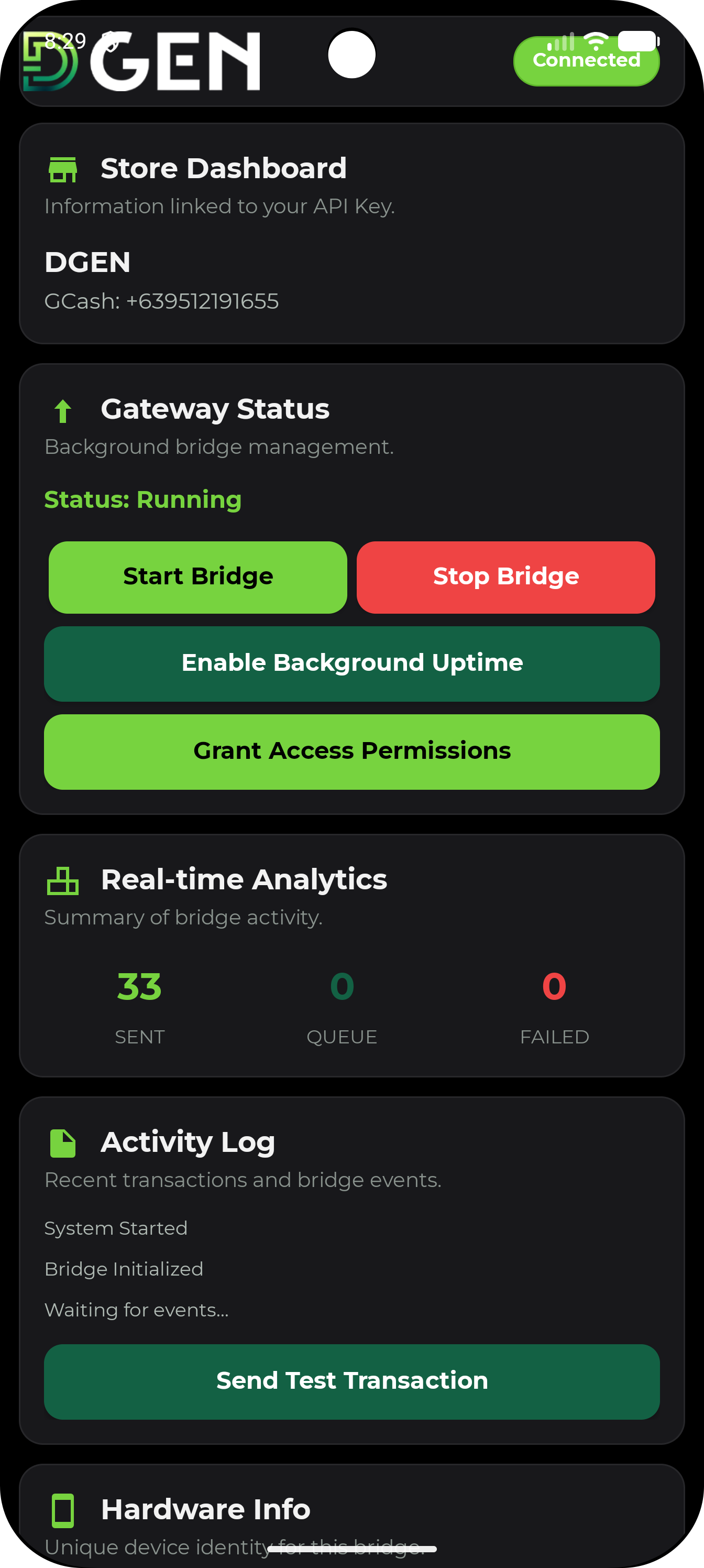
DGEN’s Android app watches approved GCash receive notifications, extracts amount, sender, balance, and reference number, then sends a store-scoped confirmation to DGEN Payments for instant order matching.
How it works
The Android app validates the key against /api/v1/store, then stores it securely on the phone.
The app reads GCash receive notifications only after the device owner grants Android notification-listener access.
Foreground service, boot receiver, heartbeat worker, and queue retry job keep the forwarder alive across restarts.
DGEN dedupes by reference/hash, matches exact GCash totals, and supports partial payment matching by phone.
What the Android app sends
The app posts full_notification, sender, phone number, amount, reference number, dedupe id, hardware id, and configured device phone to /api/v1/gcash/notifications. Heartbeats go to /api/v1/gcash/heartbeat so the dashboard can tell whether the device is alive.
{
  "sender": "GCash",
  "from_number": "0917...",
  "amount": 499.00,
  "reference_no": "0041073634750",
  "dedupe_id": "gcash-ref-0041073634750",
  "hwid": "device-hash",
  "device_phone": "+639..."
}
Capabilities
Customers send to your own GCash account. DGEN does not hold or settle that GCash money.
As soon as Android receives the GCash notification, the app posts it to your DGEN store API.
Failed sends are queued locally, retried with backoff, then re-queued for another cycle if the network is unstable.
If a buyer pays part of the GCash amount, DGEN tracks paid and remaining amounts against the same order.
The app uses the same store API key model as the public Store API. Keys are scoped to one approved store.
DGEN reads the receive notification. Your GCash login stays inside your own GCash app/device.
Permissions
The source app requests internet, network state, boot completed, notification posting, foreground service, and battery optimization exemption support. The merchant must enable notification access manually in Android settings.
Start with a DGEN store, add a Store API key to the Android app, and keep your GCash device online.
Create or open store